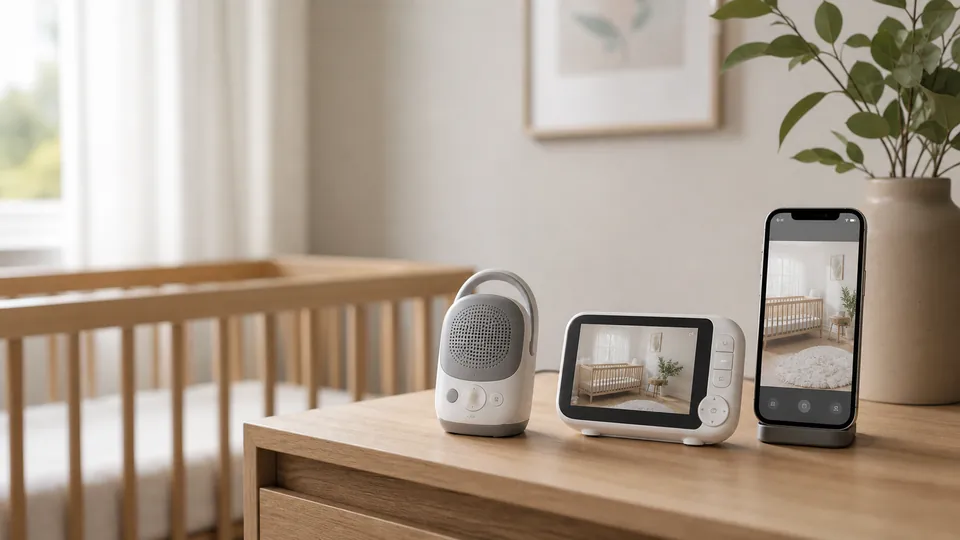

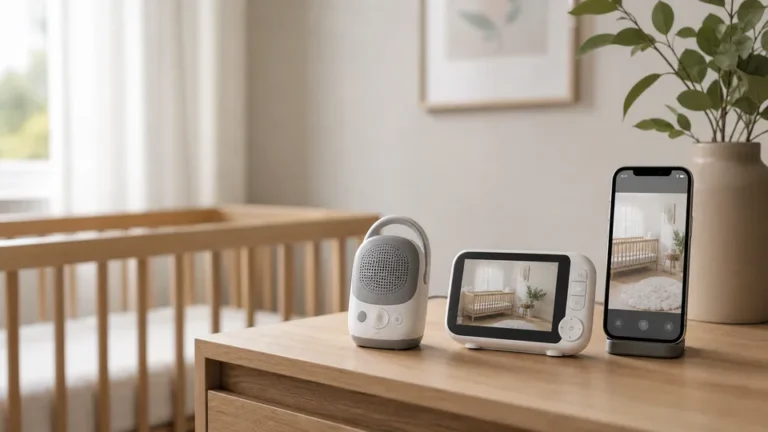
A baby monitor can help you hear a cry from another room, check whether your toddler is standing or see whether a caregiver has entered the nursery. What it cannot do is make an unsafe sleep space safe or prevent sudden infant death syndrome (SIDS).
That distinction matters most with “smart” products that track movement, breathing patterns or other signals. Consumer monitoring features may provide information, but they should not be treated as medical monitoring or protection from sleep-related death.
The right monitor is therefore not the one that makes the biggest safety promise. It is the one that reliably provides the level of connection your household actually needs.
Quick recommendations
| Need | Suggested type | Why |
|---|---|---|
| Hear crying in a small home | Audio monitor | Simple, inexpensive and private |
| See the crib without using Wi-Fi | Dedicated video monitor | Handheld screen and local connection |
| Check from outside the home | Wi-Fi monitor | Remote app access |
| Avoid cloud accounts and subscriptions | Non-Wi-Fi video monitor | Fewer connected-service dependencies |
| Multiple caregivers or rooms | Expandable system | Additional cameras or controlled account access |
Our selection approach
Fortuna Est has not represented these monitors as hands-on tested. The shortlist below is based on manufacturer documentation and support materials covering connection type, display, battery, range and privacy-related features. We prioritized clear use cases rather than declaring one monitor universally best.
Product inclusion does not validate health claims. Specifications, subscriptions and app policies can change; verify them before purchase.
Shortlist
VTech DM221 — best simple audio option
The DM221 is a digital audio monitor with a rechargeable parent unit, talk-back function, visual sound indicator and a manufacturer-stated range of up to 1,000 feet under ideal conditions.
Best for: Families who want to hear the nursery without adding video, Wi-Fi or an app.
Tradeoffs: No visual check-in, room-temperature view or recording. Real indoor range will be lower than an open-field maximum and depends on walls and interference.
eufy SpaceView Pro — best non-Wi-Fi video option for battery life
The SpaceView Pro pairs a 5-inch handheld screen with a 720p camera. Manufacturer documentation lists pan, tilt, night vision, two-way audio and up to 12 hours of battery with the display on or 30 hours in default sleep mode. It does not connect to Wi-Fi or store video.
Best for: Parents who want video and a dedicated display without remote internet access.
Tradeoffs: No viewing away from the monitor’s local range, no video history and a non-replaceable parent-unit battery.
Infant Optics DXR-8 Pro — best non-Wi-Fi option for interchangeable lenses
The DXR-8 Pro uses a dedicated handheld monitor rather than a phone app. Its distinguishing feature is a replaceable-lens system that supports different views, including optical zoom with the appropriate lens.
Best for: Families who want a local video system and more control over the camera view.
Tradeoffs: A dedicated system means another device to charge and carry. Confirm current package contents because optional lenses may be sold separately.
Nanit Pro — best for remote app viewing and nursery analytics
Nanit Pro provides 1080p video through a Wi-Fi-connected app, with night vision, two-way audio and sound or motion notifications. Optional features and compatible patterned garments support camera-based breathing-motion tracking. Some history and analytics features depend on a paid plan.
Best for: Families who value remote access, shared caregiver permissions and sleep-history features.
Tradeoffs: Greater reliance on Wi-Fi, an account, a phone and an evolving subscription service. Breathing-motion tracking is not a medical monitor and must not be described as preventing SIDS.
A basic audio monitor you already own — best value when video adds little
Many families do not need a new camera at all. In a small home, a working audio monitor may cover the only essential job: alerting a caregiver to crying.
Best for: Avoiding unnecessary spending and screen checking.
Tradeoffs: Less context when a child makes noise, especially during the toddler stage.
Audio vs. video vs. smart
Audio monitors
Audio models are usually the least expensive and easiest to operate. They create less visual checking and can be useful in homes where caregivers only need to hear that the baby is awake.
Look for:
- clear sound at low volume;
- adjustable microphone sensitivity;
- a visual sound indicator;
- a replaceable or serviceable battery where possible; and
- reliable operation through the walls and floors in your home.
Dedicated non-Wi-Fi video monitors
These use a camera and handheld display connected over a local radio link. They do not normally provide viewing from outside their supported range.
Their appeal is straightforward: video without a household Wi-Fi account or cloud-access feature. They are not automatically immune to all interception or interference, so follow the manufacturer’s security and firmware instructions.
Wi-Fi and smart monitors
Connected monitors let caregivers view the nursery through an app, sometimes from anywhere with internet access. They may add motion zones, crying notifications, recordings, sleep summaries and controlled caregiver accounts.
Before buying, ask:
- Is two-factor authentication available?
- Can every caregiver have a separate account?
- Can guest access expire automatically?
- Is video stored, and for how long?
- Which features require a subscription?
- What happens if the internet goes down?
- How long does the company provide security updates?
- Can recordings be downloaded or deleted?
Use a unique password, enable two-factor authentication and install security updates promptly.
What baby monitors cannot do
The AAP states that home apnea monitors provide little or no protection from SIDS. Consumer pulse, oxygen, breathing or movement features should not be used as a reason to relax safe-sleep practices.
A monitor cannot replace:
- placing a baby on their back;
- a firm, flat sleep surface;
- a bare crib, bassinet or play yard;
- appropriate room-sharing guidance;
- an attentive caregiver; or
- medical equipment prescribed for a specific condition.
False alarms may also increase anxiety and sleep disruption. If your child has a medical need for monitoring, use the equipment and response plan prescribed by their healthcare team rather than substituting a retail product.
Placement and cord safety
Mount the camera according to its instructions and keep every cord well outside the child’s reach. Reassess the setup as soon as your baby becomes able to roll, reach, sit or stand; yesterday’s unreachable cord may become tomorrow’s strangulation hazard.
Do not attach an unapproved mount to the crib. Check wall hardware periodically, especially with overhead camera positions.
How to choose without overspending
Start with the job, not the features:
- Do you need to hear, see or check remotely?
- Will the monitor stay in one room?
- Do you want a dedicated screen or another phone notification?
- Are recordings genuinely useful?
- Are you comfortable maintaining a connected account?
- Will subscription fees still feel worthwhile after the first year?
If a feature does not change how you respond to your child, it may be information rather than value.
The bottom line
Choose audio for simplicity, dedicated video for a local visual check or Wi-Fi video for remote access and shared app features. Treat breathing and vital-sign-style features as consumer information—not medical protection.
The best monitor supports the way your household listens and responds. Safe sleep still depends on the sleep environment, not the screen beside your bed.
Sources
- AAP: The Truth About Home Apnea Monitors for SIDS
- CPSC: Safe Sleep—Cribs and Infant Products
- VTech: DM221 product information
- eufy: SpaceView Pro specifications
- Nanit: Pro Camera information
Product details were checked on July 27, 2026. Prices, subscriptions and specifications can change. This article provides general educational information and is not a substitute for medical advice.