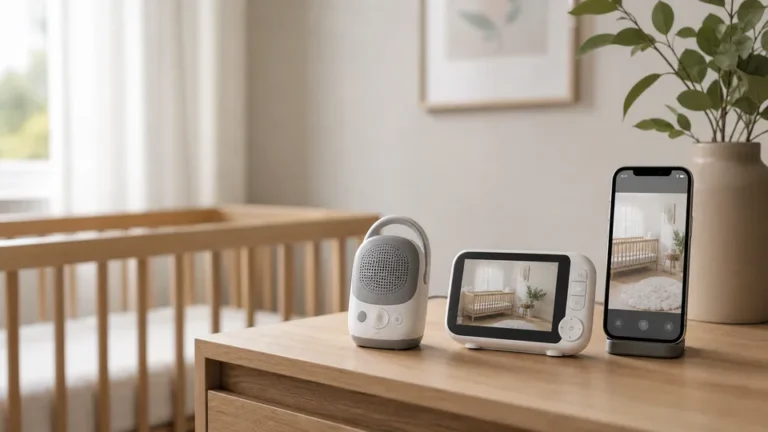

A baby monitor is one of those products where more expensive does not always mean better for your situation. The right monitor depends on three things: whether you want WiFi connectivity (convenient but hackable), how much you value app control, and whether you need extras like breathing motion tracking. Here are our top four picks across every budget.
Infant Optics DXR-8 Pro
~$160–$185
720p video · No WiFi · Optical zoom lens · 12-hour battery · 1000 ft range
Pros
- No WiFi means zero risk of remote hacking — signal stays on your local network only
- Interchangeable lens system: wide-angle and zoom lenses sold separately
- Industry-leading 12-hour battery on the parent unit
- Reliable, low-latency video with no app required
- Consistently the most-recommended monitor on parenting forums
Cons
- 720p is lower resolution than WiFi competitors’ 1080p cameras
- No smart features — no sleep analytics, no breathing monitoring
- Parent unit is bulkier than a phone
- Optical zoom lenses are an additional cost
Nanit Pro Camera
~$279–$319
1080p HD · WiFi · Breathing motion monitoring · Sleep analytics · Two-way audio
Pros
- Breathing motion monitoring with the Nanit Breathing Wear (swaddle or band)
- Sleep analytics: tracks sleep hours, efficiency, and wake events over time
- 1080p crystal-clear night vision
- Mounts overhead for a top-down view that covers the whole crib
- App is among the most polished of any baby monitor brand
Cons
- Full analytics require a Nanit subscription (~$50–$100/year)
- WiFi-connected means it can theoretically be accessed remotely if unsecured
- Most expensive camera of the group
- Breathing monitoring requires purchasing Nanit’s specific Breathing Wear separately
Owlet Cam 2
~$139–$159
1080p HD · WiFi · Night vision · Two-way audio · Works with Owlet Dream Sock
Pros
- Best price point for a 1080p WiFi smart monitor
- Pairs with the Owlet Dream Sock for pulse-ox and heart rate monitoring
- Clean, simple app with no required subscription
- Clear 1080p HD night vision
- Integrates with the broader Owlet ecosystem
Cons
- Camera-only — no breathing monitoring without the Dream Sock (sold separately ~$299)
- Fewer advanced sleep analytics than Nanit
- Some parents report occasional connectivity drops
Eufy SpaceView Pro
~$110–$130
720p · No WiFi · 5-inch screen · Pan/tilt/zoom · 15-hour battery
Pros
- 5-inch screen is the largest parent unit in the budget category
- No WiFi — private, secure, no app required
- 15-hour battery life on the parent unit
- Pan, tilt, and digital zoom from the parent unit
- Best bang-for-buck of any non-WiFi monitor
Cons
- 720p video is lower resolution than WiFi competitors
- No smart features, no sleep analytics
- Night vision range shorter than premium monitors
Quick Comparison
| Monitor | Resolution | WiFi | Battery | Screen | Subscription | Price |
|---|---|---|---|---|---|---|
| Infant Optics DXR-8 Pro | 720p | No | 12 hrs | 3.5 in | None | ~$170 |
| Nanit Pro | 1080p | Yes | — | Phone app | Optional ~$50/yr | ~$299 |
| Owlet Cam 2 | 1080p | Yes | — | Phone app | None | ~$149 |
| Eufy SpaceView Pro | 720p | No | 15 hrs | 5 in | None | ~$120 |
How to Choose
WiFi vs. non-WiFi: what actually matters
WiFi monitors let you check on your baby from anywhere with your phone — useful when you are in another part of the house or briefly out. Non-WiFi monitors keep the video signal local, which is inherently more secure. Both work well; the question is whether you want remote access and are willing to manage the security (strong password, regular firmware updates) that comes with a connected device.
Do you need breathing monitoring?
Breathing motion monitoring reduces anxiety for many parents but does not prevent SIDS. The AAP does not recommend commercial monitors for SIDS prevention. They are peace-of-mind tools, not medical devices. If this feature matters to you, the Nanit Breathing Wear or the Owlet Dream Sock are the most established options.